Powering My Diary App With Prisma + Supabase
| November 16, 2025 |
A quick look at how I’m wiring database + auth for Lumi Diary Digest.


I’m building Lumi Diary Digest, an AI-assisted diary app where users can store entries and later ask questions about their past writing. To make that work, I need a stable way to:
- manage user accounts
- link each user to their diaries
- query entries cleanly for future AI processing
- maintain a clear, scalable data structure
Supabase gives me authentication + a PostgreSQL database, but I still need something that lets my Next.js code talk to that database in a safe, predictable way. Prisma is the layer that makes this frictionless.
Why Prisma Makes Sense in This Stack
1. Clean, type-safe queries instead of raw SQL
Instead of manually writing SQL or mixing in Supabase’s JS client everywhere, Prisma lets me create records using simple, typed JS/TS objects — and it automatically generates the corresponding row in the database.
For example:
await prisma.user.create({
  data: { id: userId, email },
});
This immediately creates a new row in my User table — no extra SQL, no manual work.
For a relational app like Lumi (Users ↔ Diaries), this keeps things predictable and readable.
2. Prisma schema as the single source of truth
Here’s the schema I’m using:
model User {
  id        String     @id @default(uuid())
  email     String     @unique
  name      String?
  diaries   Diary[]
  createdAt DateTime   @default(now())
  updatedAt DateTime   @updatedAt @default(now())
}

model Diary {
  id        String     @id @default(uuid())
  title     String     @db.VarChar(255)
  text      String
  author    User       @relation(fields: [authorId], references: [id])
  authorId  String
  createdAt DateTime   @default(now())
  updatedAt DateTime   @updatedAt @default(now())
}

enum Role {
  USER
  ADMIN
}
Prisma uses this file to:
- structure the database
- create and update tables
- enforce relationships
- generate the Prisma Client
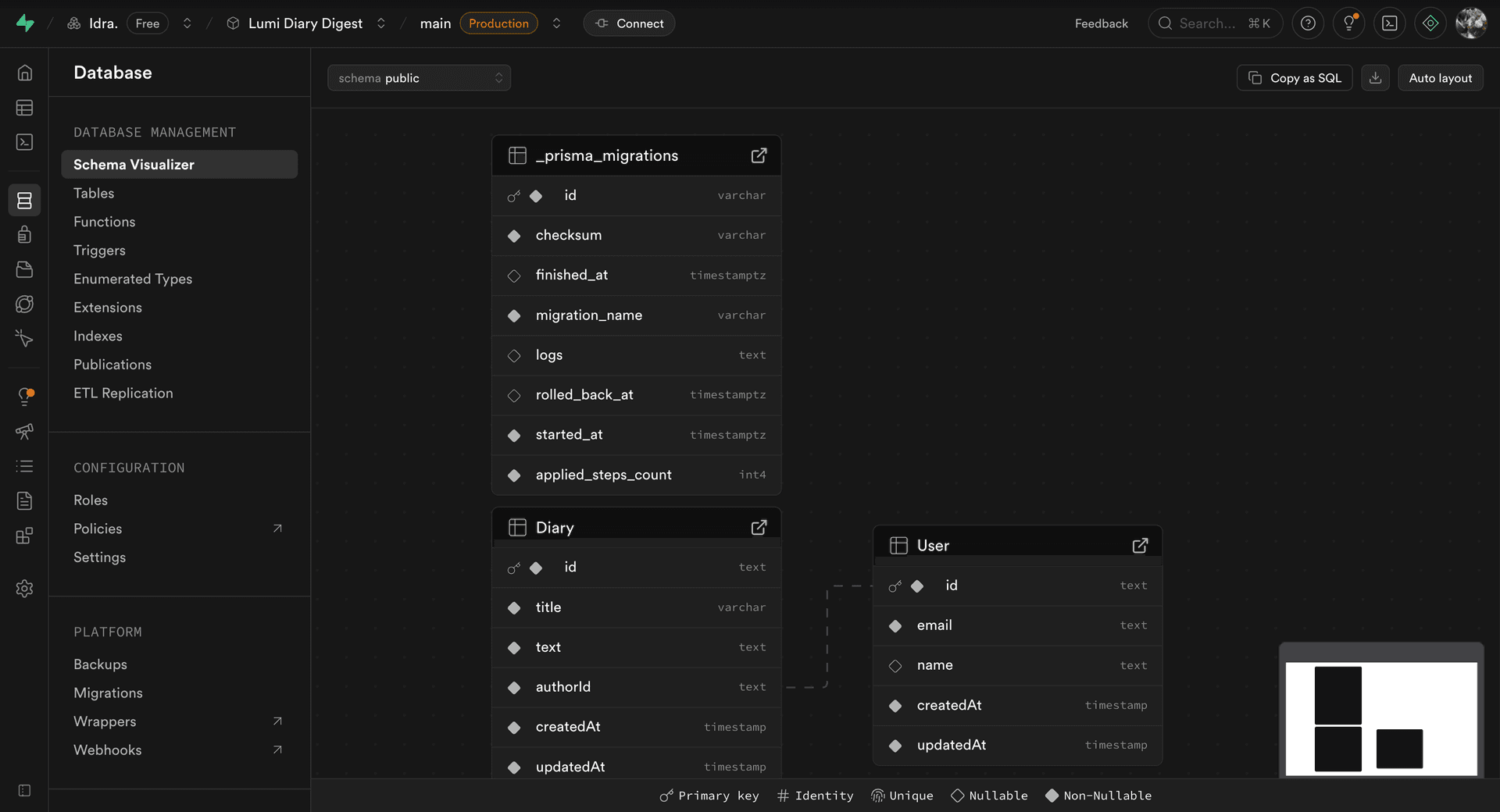
And after running migrations, these models appear as visualized tables inside Supabase, which makes it easy to inspect how everything is connected.

3. Perfect alignment with Supabase Auth
Supabase creates the authentication record.
Prisma creates the application-level user record.
The moment a user signs up:
- Supabase Auth stores the UID + email
- Prisma automatically takes that UID and generates my matching
Userrow - Diaries can now be connected to that specific user


This separation keeps authentication secure while giving me full control over my application’s data structure.
4. Sets me up for all the AI diary features later
Because Prisma organizes everything behind clean, typed queries, I’ll be able to:
- fetch all diaries for a user
- run embeddings or summaries
- analyze patterns over time
- answer user questions about their past entries
And all of it will be built on a consistent, typed foundation.
The takeaway
Supabase handles identity and storage.
Prisma handles structured data and relationships.
Next.js sits on top and handles the app logic.
Together, they form a simple, modern backend that lets me focus on building Lumi Diary Digest — not wrestling with SQL queries or scattered schema definitions.