Data Fetching in Next.js: A Beginner’s Guide
| November 19, 2025 |
What it is, how it works, and how it’s different from plain React
1. What Is Data Fetching (and Why Does It Matter)?
Data fetching simply means:
Getting data from somewhere — an API, a database, or a file — so your UI can show real information instead of an empty page.
Examples:
- Loading a list of blog posts
- Getting a user’s profile
- Showing items in a shopping cart
- Fetching diary entries (like in your Lumi Diary Digest project)
Why it’s important:
- Correctness: Your app displays real, up-to-date data
- Speed: Good data-fetching design makes pages load faster
- Security: Secrets (API keys, database access) should never reach the browser
- User experience: Streaming, caching, and preloading affect how smooth your app feels
Next.js helps with all these because it gives you both server and client data-fetching tools in one framework.
2. Server vs Client (Simple Version)
- Server: Code that runs on a machine before the page reaches your browser. It can access:
- databases
- environment variables
- ORMs
- Node.js APIs (
fs, files, paths)
- Client: Code that runs inside your browser after the page loads. It handles:
- React state
- clicks, forms, events
- animations
- updating data after user interactions
This difference is the foundation of data fetching in Next.js.
3. How Data Fetching Works in Next.js
Next.js adds a mini backend inside your React project.
This means you can fetch data in three places depending on your needs:
- Server Components (default, safest, fastest)
- Client Components (browser-based, interactive)
- Route Handlers (your own API endpoints)
Let’s break them down.
A. Server Components (Recommended for Most Data)
Server Components run only on the server, so they can safely:
- call databases (Supabase, Postgres, MySQL)
- use ORMs (Prisma, Drizzle, Kysely)
- use Node.js features (
fs,path, env variables) - call external APIs without exposing secrets
This code never runs in the browser.
Example:
export default async function Page() {
  const res = await fetch(”https://api.vercel.app/blog”);
  const posts = await res.json();

  return <div>{posts[0].title}</div>;
}
Behind the scenes, Next.js:
- caches the response
- deduplicates repeated requests
- pre-renders the HTML on the server
This makes Server Components ideal for:
- database queries
- loading data for a page before rendering
- anything involving private keys
B. Client Components (Browser-Side Fetching)
Client Components run in the browser.
You use them when the user needs to interact with the UI:
- clicking a button
- submitting a form
- typing in an input
- real-time updates
This is also where you’d use SWR or React Query for automatic caching.
Example with SWR:
‘use client’
import useSWR from ‘swr’

const fetcher = (url) => fetch(url).then((res) => res.json())

export default function BlogPage() {
  const { data, isLoading } = useSWR(’/api/posts’, fetcher)

  return isLoading ? “Loading...” : data[0].title
}
Use Client Components when:
- the user triggers the data fetching
- the data needs to update live
- you need React hooks like
useStateoruseEffect
C. Route Handlers (Your Mini Backend)
Route Handlers live in:app/api/.../route.ts
They let you create API endpoints inside your app.
// app/api/posts/route.ts
export async function GET() {
  return Response.json({ message: “Hello” })
}
Your frontend can call:
fetch(”/api/posts”)
Use this when you need:
- POST / PUT / DELETE
- custom logic
- secure server operations
- a backend without building a full Express server
4. Next.js Features You Don’t Get in Plain React
✔ Server-first Data Fetching
React can only fetch in the browser.
Next.js fetches before your page loads.
✔ Built-in Caching
Extended fetch options:
// always fresh
fetch(url, { cache: “no-store” })

// revalidate every 60 seconds
fetch(url, { next: { revalidate: 60 }})
Next.js automatically:
- caches results
- deduplicates repeated calls
- reduces API calls
- speeds up your app
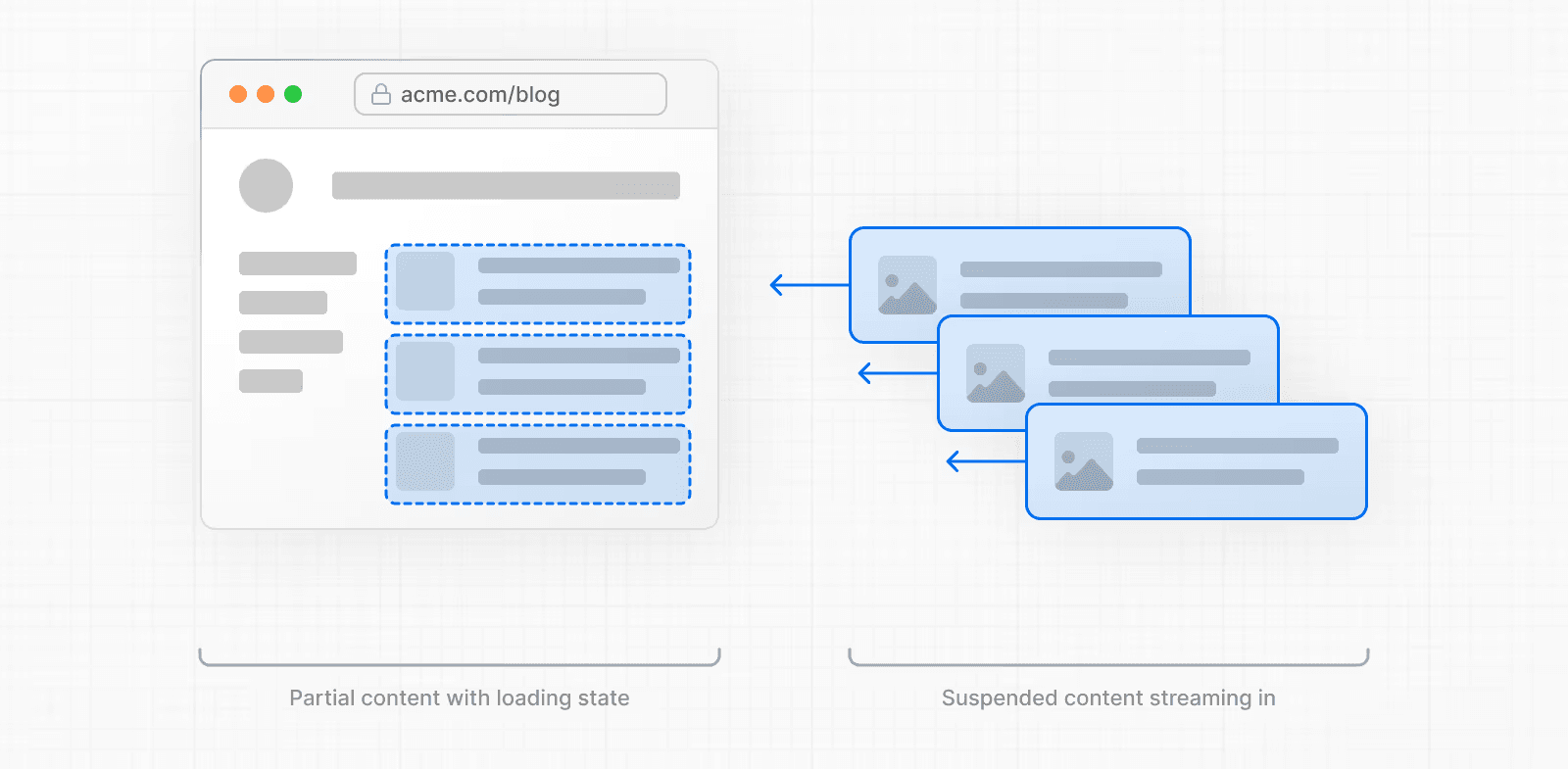
✔ Streaming & Suspense
Loading states built into the framework.
Example:
<Suspense fallback={<div>Loading...</div>}>
  <Posts />
</Suspense>
Next.js can send your page in chunks so the user sees something immediately.
✔ Parallel Fetching
Start multiple requests at the same time:
const artistData = getArtist();
const albumsData = getAlbums();

const [artist, albums] = await Promise.all([artistData, albumsData]);
Faster than waiting for one request to finish before starting the next.
5. React vs Next.js
In plain React:
- Everything runs in the browser
- You fetch with
useEffect - You handle routing, caching, and SSR manually
- You need multiple extra tools:
- Express (backend)
- SWR/React Query (caching)
- Vite or CRA for builds
In Next.js:
- Server Components fetch data before the page loads
- Client Components fetch only when the user interacts
- Route Handlers act as your backend
- Built-in:
- caching
- streaming
- SSR
- routing
- file-based APIs
Bottom line:
React gives you UI.
Next.js gives you a full-stack environment.
6. What Should Beginners Do?
Use this rule:
Fetch data on the server when possible.
Fetch in the client only when interaction is required.
This keeps your app:
- more secure
- faster
- simpler
- easier to maintain
7. References
Next.js Official Documentation — Data Fetching
Thanks for reading :)