Building My Portfolio: A Technical Retrospective on the Personal Website Project
| October 11, 2025 |
Project update: migrating from a static portfolio to a scalable Next.js system
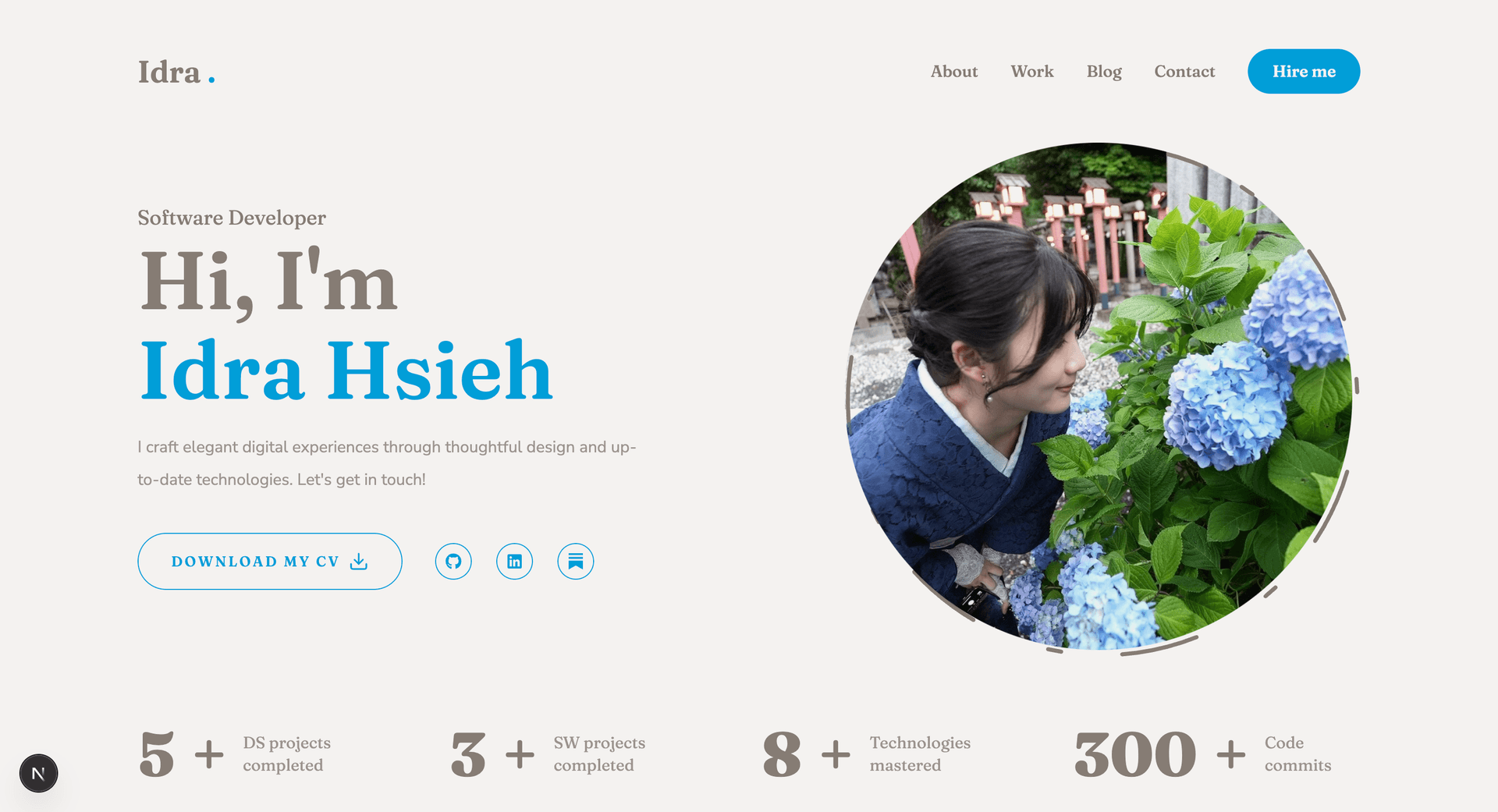
I am currently at the final stage of building the blog system for my personal website, specifically integrating Sanity CMS into the Next.js framework. Before shipping this final component, I wanted to document the architecture, design choices, and technical lessons behind the project so far.
This post summarizes the evolution of my portfolio site—from a static layout to a scalable, dynamic system—and how each architectural decision solved a specific problem in the development process.
The Challenge: Beyond a Static Portfolio
When I first set out to build a portfolio, I aimed to build a maintainable, living system that could grow alongside my projects. The primary challenge was designing an architecture that was both clean and extensible—a foundation I could evolve into a comprehensive personal platform.
Tech Stack Overview
To achieve these goals, I selected a modern stack that balances performance, developer experience, and scalability.

Technical Implementation & Problem Solving
1. Enhancing the User Experience with Framer Motion
- Problem: The original landing page felt flat and static.
- Solution: I introduced Framer Motion to handle entry transitions and element animations. This kept interactions subtle but engaging, as shown in the following code snippet for a headline transition:
<motion.h1
  initial={{ opacity: 0, y: -20 }}
  animate={{ opacity: 1, y: 0 }}
  transition={{ duration: 0.8 }}
>
  Welcome to My Portfolio!
</motion.h1>
2. Enforcing Design Consistency with Tailwind CSS
- Problem: Maintaining responsive design consistency manually across different viewports was tedious and error-prone.
- Solution: I adopted Tailwind CSS to unify spacing, colors, and responsiveness directly in the markup. This approach makes layout adjustments fast and predictable, as demonstrated by this container component:
<div className="max-w-xl mx-auto p-8 md:p-16 bg-white dark:bg-gray-900 rounded-lg shadow-lg">
  {/* content */}
</div>
3. Creating a Dynamic Data Layer with TypeScript
- Problem: Manually adding new projects caused code duplication and data inconsistency.
- Solution: I defined a TypeScript interface for project data to render content dynamically from structured JSON. This abstraction simplifies the integration of Sanity CMS, which will soon power the sections dynamically.
export interface Project {
  title: string;
  description: string;
  repoUrl: string;
  tags: string[];
  imageUrl: string;
}
Infrastructure and Deployment
The site is deployed via Vercel, ensuring automatic CI/CD with every commit, global edge caching for performance, and automatic HTTPS security.
Key Learnings
- Build for iteration: A clean underlying structure allows for evolution without breaking features.
- Component reusability: A design system reduces development friction.
- Subtlety in animation: Motion should enhance, not distract.
Next Steps
The roadmap includes finalizing the Sanity CMS blog integration, adding serverless contact forms, and experimenting with Three.js for 3D elements. This project has become a sandbox for building real-world, production-ready frontend systems.
Repository: github.com/idra-hsieh/personal-website